

7 months ago
Showing posts with label photos. Show all posts
Showing posts with label photos. Show all posts
Thursday, March 26, 2009
Elation!
I just found out that two of my photographs have been shortlisted to appear in a publication (possibly online only) of a travel guide - schmap.com! (They do over 200 cities worldwide – maps, descriptions, pics, etc.) I just happened to check this yahoo account that I opened to do this 23 Things project through work, and saw the emails. There is no money, but it’s nice to have the recognition of “Hey, you don’t totally suck at photography”. The best part is I didn’t really have to do anything. I just put the pics up on Flickr, and they found me. So I checked my Flickr account and there was another message from someone wanting to add another one of my pics to a group of Art Nouveau works. Sweet! I am in a very good mood now.
Wednesday, February 18, 2009
Thing 9:Part 2
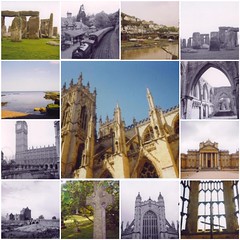
This feels like deja vu all over again. So - more photo sharing tools. The mosaic maker over at BigHugeLabs.com is cool, but a bit irking. Look at the pic of Big Ben immediately to the right of this! Trust me, that is not the way I took that picture. I'm not really happy with the pic of York Minster in the center either - it would be nice if they would let you select the part of the picture you want in the mosaic. One of my coworkers actually found a practical application for this! She puts up pictures of her kids on the shelving above her desk - this allowed her to put up a lot of pics, but not use as much space. I thought it was a great idea!
I did not create a slideshow, as Blogger and Flickr helped me make some for my blog already - the results are towards the bottom right of my page. It's really easy to do, and a great way to share a bunch of pictures without uploading them all to a page.
The database thing I like. I was just working on a dystopia/cyberpunk/steampunk teen reading list for a workshop I was supposed to go to tomorrow. I was just planning on printing a list and handing it out, but having it online would be a great resource - especially if I post a link to it on our webpage! Part of me likes the ability to let others edit, but that also means you have to keep an eye on the list to make sure no one messes it up. More to come as I explore this.
Saturday, February 7, 2009
Thing 6: Part 2 - Flickr Mashups
Thing 6 is definitely wicked! It was way more fun than I should probably be having at work! Yay NEFLIN! Can you tell I enjoyed it?
Anwho - my last post was just one of the Flickr mashups I tried out. I also toyed with the Flickr Color Pickr (which is not just fun to play with, but fun to say - go ahead - say it out loud), and really enjoyed it. I'm an artist though, and color mesmerizes me. I'm not sure how I could practically apply it, but fun nonetheless.
I also tried out Spell with Flickr. Below are the results. Again - practical application? Probably none, but half the things I do online have no purpose, so what's one more? One of the apps that would actually be of use to me would probably be the jigsaw puzzle creator. I don't know if you could print that out or not, but we made puzzles for a Harry Potter party celebrating release of the Deathly Hallows, and boy could we have used that app! We made puzzles by hand to use as part of one of our games, and it took awhile.
I have no problem with sharing pictures online. Flickr has the ability to let you put privacy settings on the ones you don't want made public, so no biggie, right? Though it would kinda suck if someone stole one of your pics, submitted it to a contest, and won - you being left out in the cold without even getting any credit.
I have no problem with sharing pictures online. Flickr has the ability to let you put privacy settings on the ones you don't want made public, so no biggie, right? Though it would kinda suck if someone stole one of your pics, submitted it to a contest, and won - you being left out in the cold without even getting any credit.




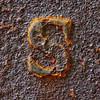
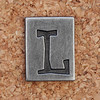


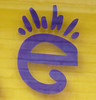
Thing 6: Part 1 - Flickr Mashups
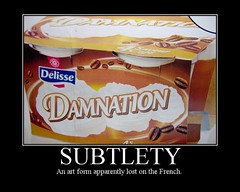
So this is a picture I took on the subway in Paris (see - I'm not just being a bigot). It was this gigantic 15x20 ft poster on the metro station wall. When I found this tool on BigHugeLabs.com, I had to use this pic! Besides, it was the only one I could really come up with a semi-witty quip for - and even that took awhile.
Thing 5: Flickr
I've actually been signed up for my Flickr account for awhile, but only today did I have the time to upload some photos. Since I'm at work, I actually had to download them to the computer from my other account at Photobucket, then upload them onto Flickr. Time consuming to say the least, but not difficult.
However I didn't waste my time - I had done some exploring on Flickr when I first opened the account. I did some searches, looked around, and found some things that I liked. The one that stands out (that I don't think Photobucket has) is the option to add a note to the photo. You can highlight a small section of the photo you wish to comment on, and add a message. Brilliant!
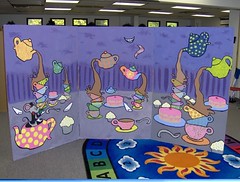
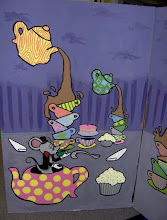
The photo to the right is of a painting based on the Mad Hatter's tea party from Alice in Wonderland I did for a Family Literacy Day program a couple of years ago. We had an indoor mini-golf game, and the kids had to answer a question about each book before making the putt. I painted about 8 different backgrounds based on books, and this is one. The others I won't post here (partly for fear of copyright infringement), but are up on my Flickr account.
This was definitely different as far as posting using Photobucket. There, you can click on a single (or multiple) pics, and just copy and paste the html code into the post you are writing (or even one already written). I had already started writing this post and had it saved as a draft. I thought I could do the same thing with Flickr, but that's not what I found. They posted it to the blog for me, and I had to go back to my original post and copy and paste the script into this one. Not hard, just strange - and now I know better.
To be fair to Flickr though, I was actually able to get my slideshow over on the side here up and running with them, whereas my one with Photobucket was having trouble. And no, it wasn't because I didn't know what I was doing. I was the one who helped a coworker set hers up!
I have yet to actually upload any photos of my library and tag them "neflins23things", but that will be my next task. At least I have gotten a taste of the site.
Subscribe to:
Posts (Atom)


